How to remove the Transparency window effect on Deepin OS 20.7?

I'm a passionate software developer.
Introduction
Deepin OS uses its own desktop environment called DDE, which is designed to be visually appealing, smooth, and intuitive. It offers a macOS-like experience with a dock, launcher, and a system tray.
Solution
Let's go over the solution.
Check your OS
You can try one of the following approaches.
lsb_release
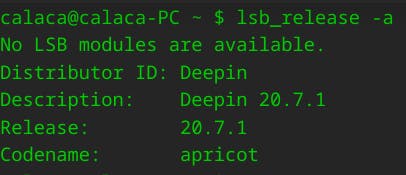
The command "lsb_release -a" is used to display information about the Linux Standard Base (LSB) and distribution-specific information of your Linux system.
The "lsb_release" command is useful for identifying the distribution and its version in a standardized manner, particularly if you are writing scripts or need to retrieve distribution information programmatically.
lsb_release -a
The output should be something like this
No LSB modules are available.
Distributor ID: Deepin
Description:    Deepin 20.7.1
Release:        20.7.1
Codename:       apricot
os-release
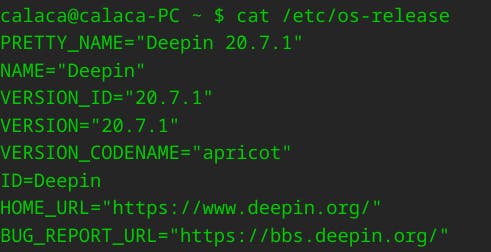
The command cat /etc/os-release is used to display the contents of the "/etc/os-release" file, which contains information about the operating system distribution.
The "/etc/os-release" file is commonly used by various system utilities and scripts to determine the distribution and retrieve specific information about the operating system.
In the terminal
cat /etc/os-release
Your output should be something like the following:
PRETTY_NAME="Deepin 20.7.1"
NAME="Deepin"
VERSION_ID="20.7.1"
VERSION="20.7.1"
VERSION_CODENAME="apricot"
ID=Deepin
HOME_URL="https://www.deepin.org/"
BUG_REPORT_URL="https://bbs.deepin.org/"
Desktop Settings
Right click on desktop and choose Desktop Settings

Personalization
Click on Personolization.

Window Effect
Look for Window Effect option.

As you can see, your Window Effect is set to true.
Uncheck Window Effect

Save changes
Just click on the close button.

Done
You've made it!

Let's connect
Final thoughts
I hope this article helped you. Let me know if you have any questions.
Your thoughts, suggestions and corrections are more than welcome.
By the way, feel free to drop your suggestions on new blog articles.
Hope to see you next time.


