How to enable right-click on Pop!_OS 22.04 (Touchpad fix)

A
I'm a passionate software developer.
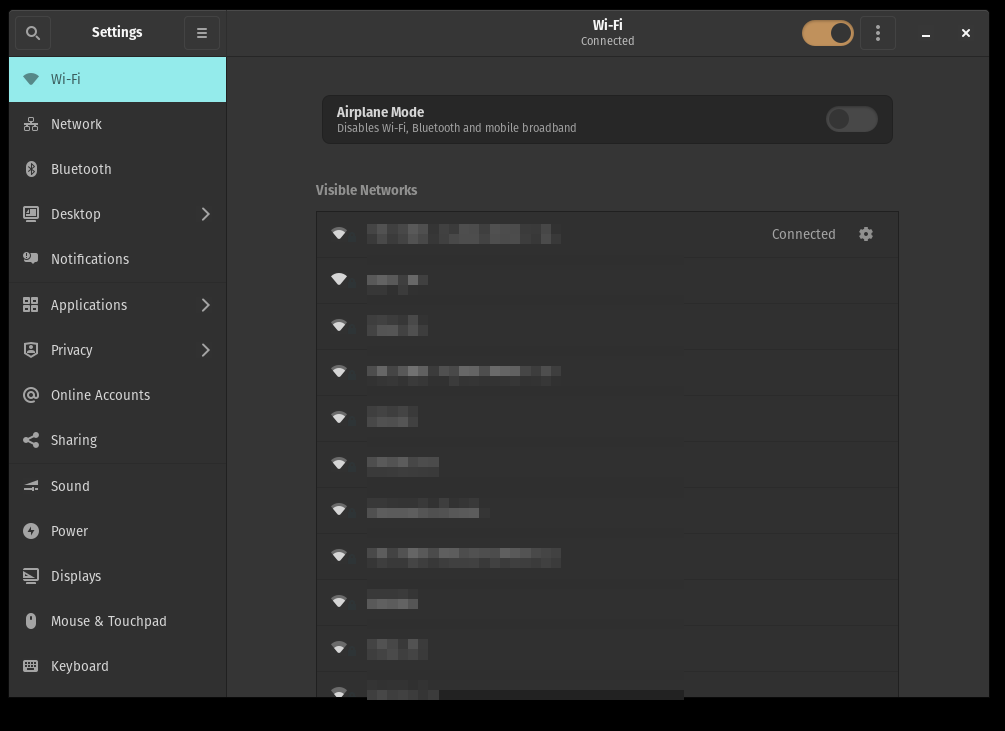
Open Settings
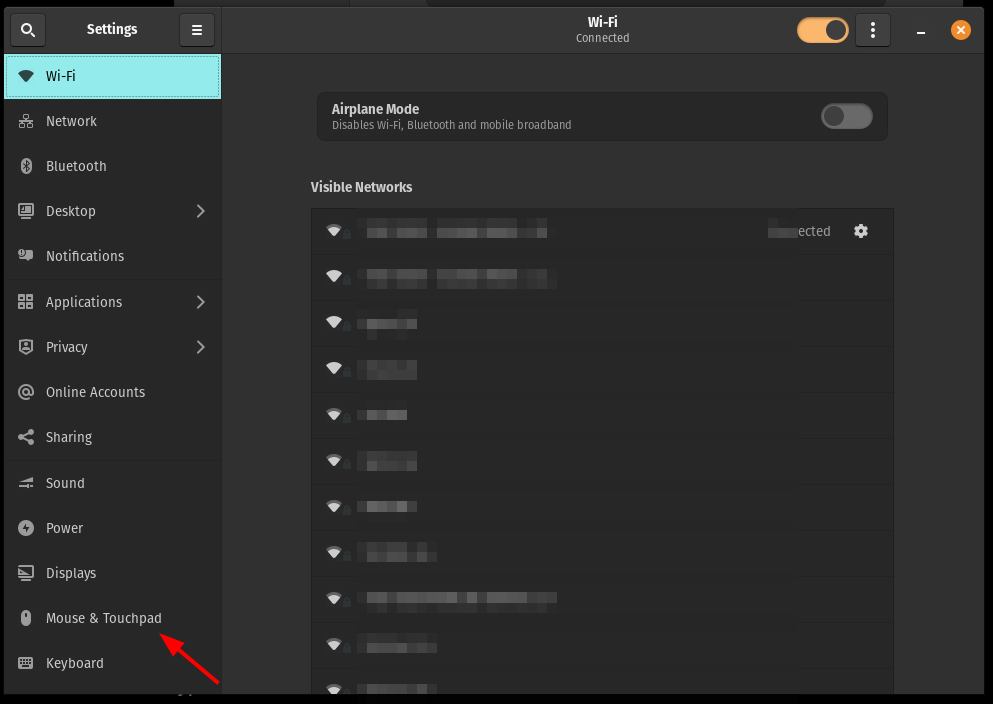
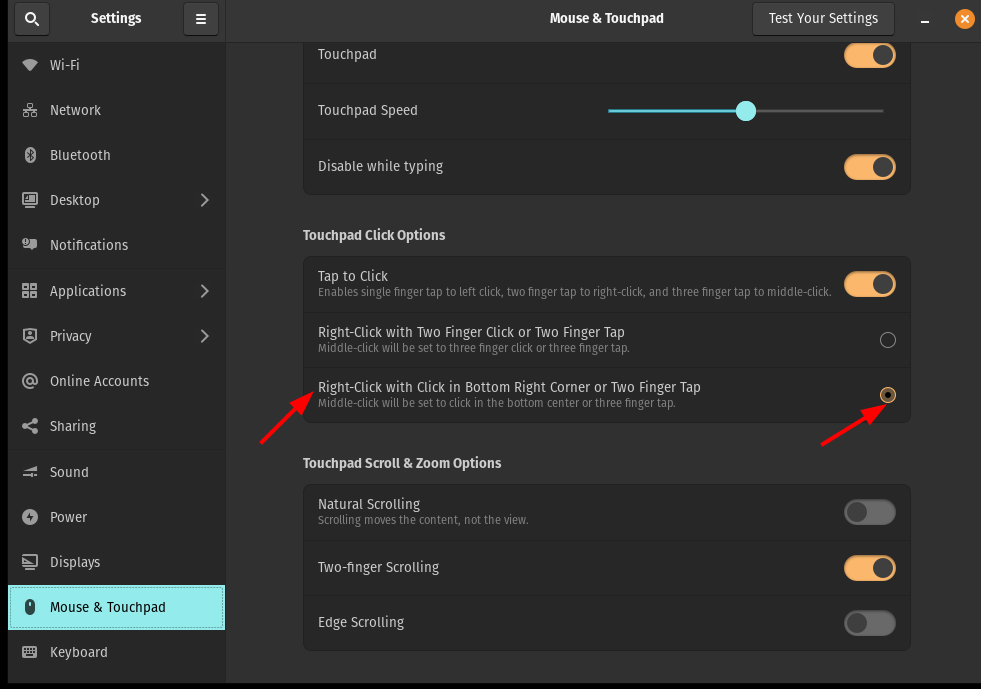
Mouse and Touchpad
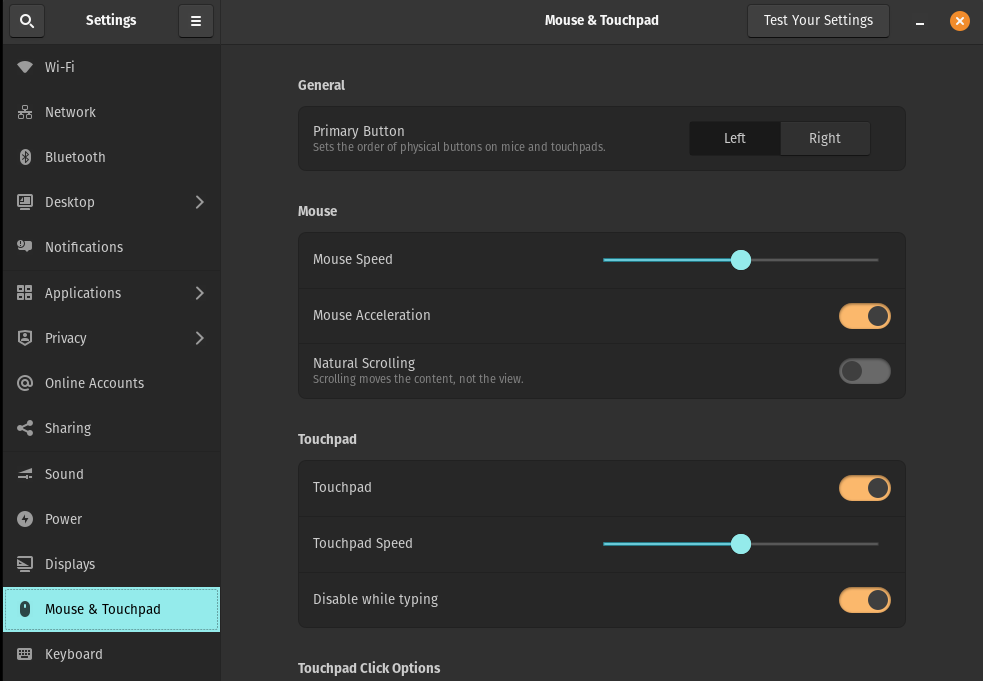
Touchpad click Options section
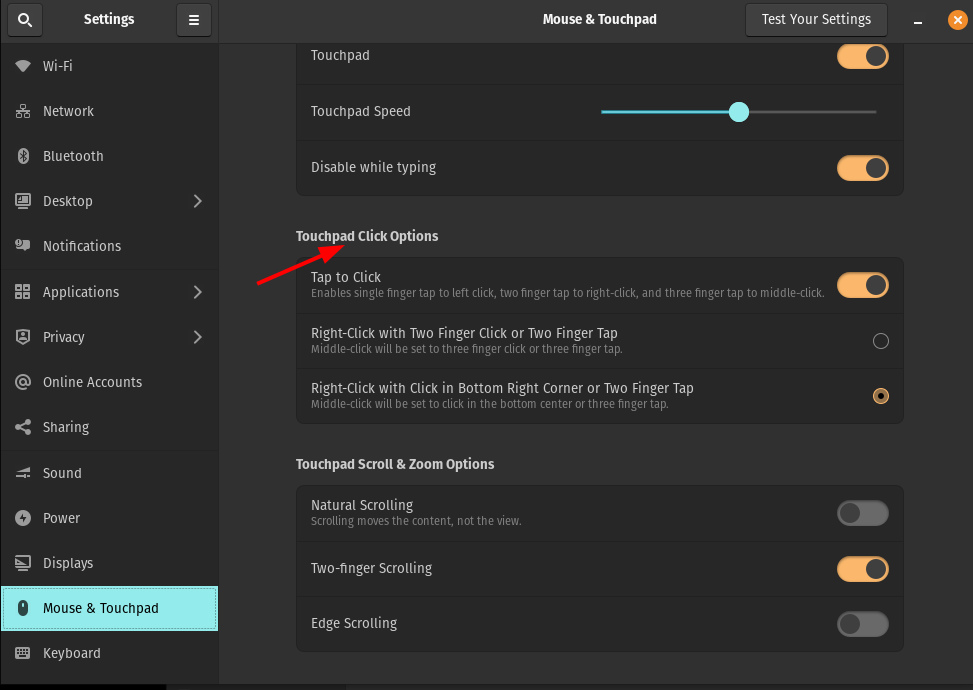
Enable Right-Click
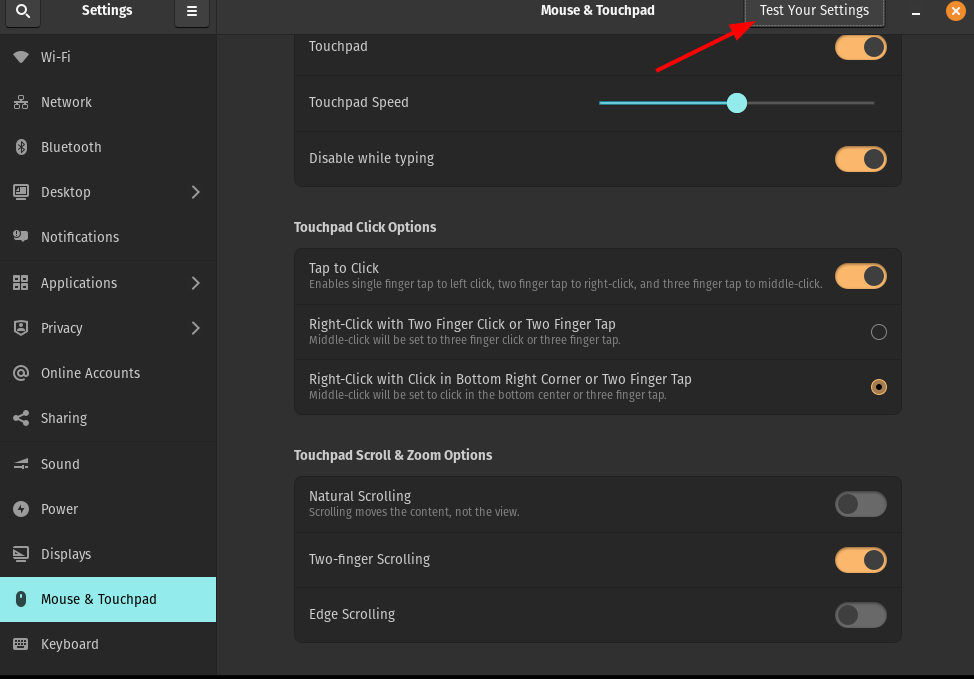
Test
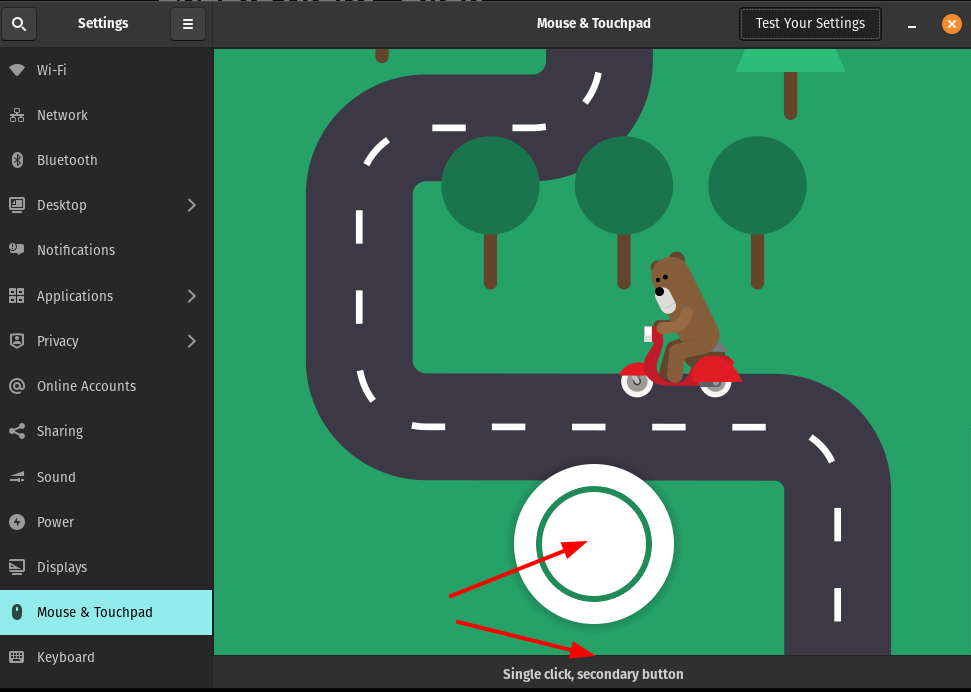
You should be able to see "Single click, secondary button".
Done
Celebrate

Reach me out
Final thoughts
Thank you for reading this article.
If you have any questions, thoughts, suggestions, or corrections, please share them with us.
We appreciate your feedback and look forward to hearing from you.
Feel free to suggest topics for future blog articles. Until next time!


