How to change the port that Vite uses for the local development server

I'm a passionate software developer.
Search for a command to run...

I'm a passionate software developer.
No comments yet. Be the first to comment.
Components Introduction In order to truly understand props in React, we first need to be clear on what components are. A component is a reusable piece of the user interface that encapsulates structure, styling, and behavior. Instead of repeating the ...

Introduction Context By default, Codespace is using the GITHUB_TOKEN env var (the “Codespaces token”), which can’t create repos. It’s necessary to authenticate gh with a token/account that has the right scopes, or create the repo on the web first. Ob...

Solution Here it is: git commit --allow-empty-message -m "" Explanation To create a Git commit without a message, or with an empty message, you can use the --allow-empty-message flag with the git commit command. git commit --allow-empty-message -m "...

Steps Cleanup phase This phase’s goal is to removes existing containers, volumes, networks and images Stop and remove volumes docker compose down --volumes --remove-orphans The previous command stops and removes containers, networks, and default volu...

Steps Stop the service It’s not mandatory, but before uninstalling, it's a good practice to stop any running Docker services. sudo systemctl stop docker Remove docker packages It’s used to completely and forcefully remove a list of specified packag...

Vite is a build tool for modern web development that aims to provide a faster and more efficient development experience. It's specifically designed for building web applications using modern JavaScript frameworks such as React, Vue, and others. The name "Vite" is derived from the French word for "fast."
Shall we?

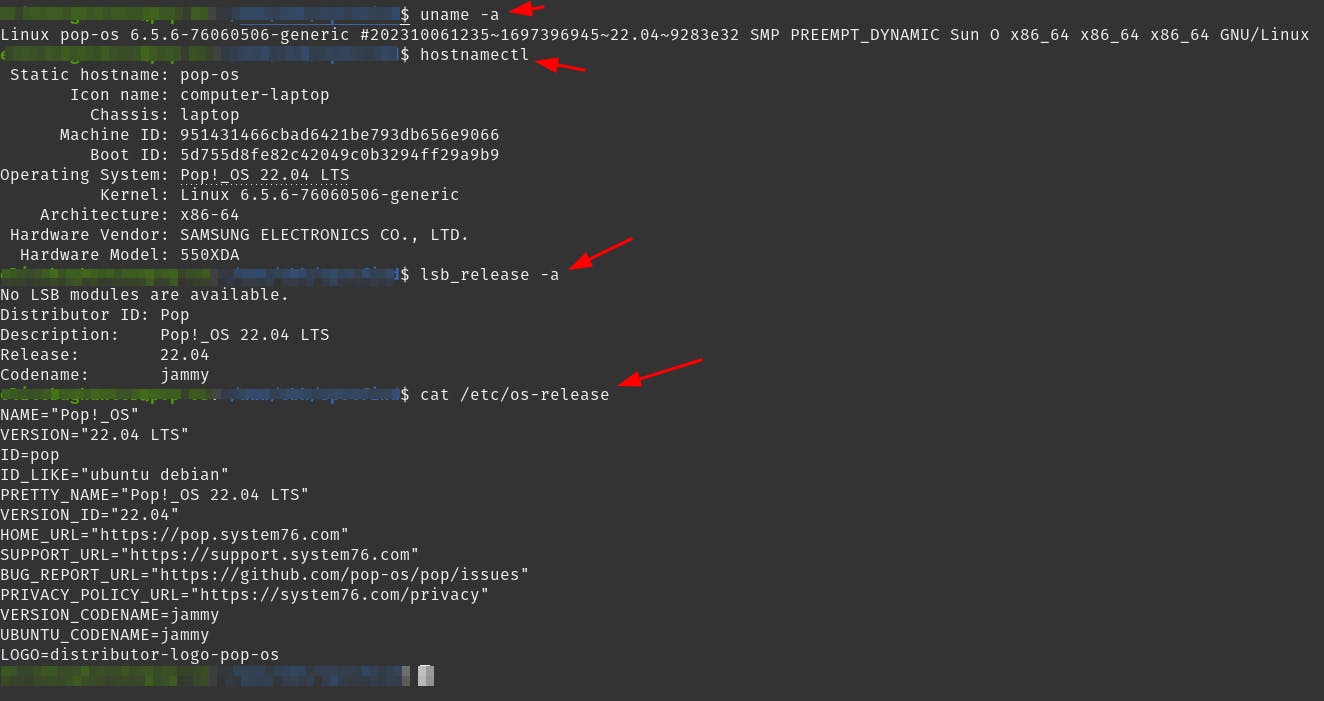
This step is just to make sure you have Pop!_OS installed.
uname -a
hostnamectl
lsb_release -a
cat /etc/os-release
Output
npm run dev --port 4000
Output

The file is in the root of the application, it's called package.json.
Add the following to the devsection:
vite --port 3002
Result

Output

Now, when you run npm run dev, Vite will use port 3002 for the local development server.

Thank you for reading this article.
If you have any questions, thoughts, suggestions, or corrections, please share them with us.
We appreciate your feedback and look forward to hearing from you.
Feel free to suggest topics for future blog articles. Until next time!